sunwm ?
a window manager inspired by the SunOS OpenLook window manager, written while following the C Style and Coding Standards for SunOS.
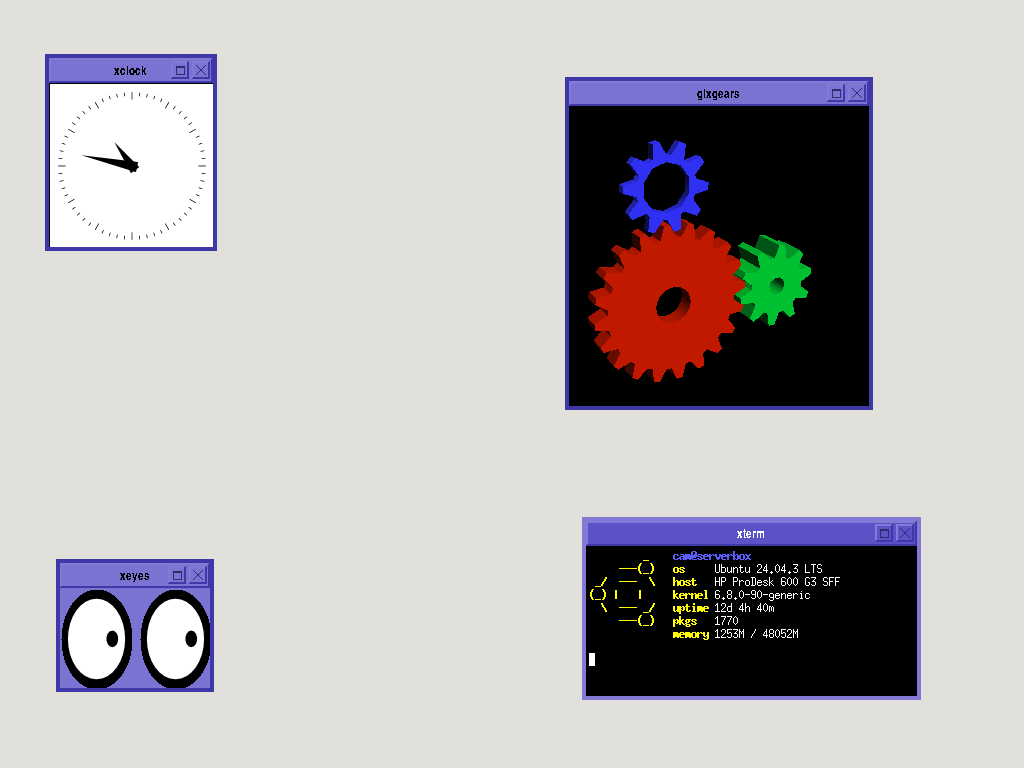
features
• Motif-inspired 3D windows, maximize and close
• Title bar dragging, ALT-TAB window focus management
• Configurable keyboard shortcuts for apps
• Right-click root menu
• 8-direction window resizing (edges and corners)
• .sunrc customizable menu, shortcuts, and color scheme
• Click-to-focus (focus-follows-mouse = basura)
installation
for  debian-based systems
dependencies
required X11 libraries:
sudo apt-get install libx11-dev xorg-dev build-essentialbuilding
make
sudo make install
running
add to your ~/.xinitrc:
exec sunwmthen start X:
startxfor  NetBSD systems
dependencies
required X11 libraries:
pkgin install libX11building
NetBSD keeps X11 in /usr/X11R7/, so you need to specify paths:
cc -I/usr/X11R7/include -c sunwm.c
cc -I/usr/X11R7/include -c client.c
cc -I/usr/X11R7/include -c events.c
cc -I/usr/X11R7/include -c menu.c
cc -o sunwm sunwm.o client.o events.o menu.o \
   -L/usr/X11R7/lib -Wl,-rpath,/usr/X11R7/lib -lX11
or add to your Makefile (recommended):
CFLAGS += -I/usr/X11R7/include
LDFLAGS += -L/usr/X11R7/lib -Wl,-rpath,/usr/X11R7/lib
running
add to your ~/.xinitrc:
exec xterm &
exec sunwm
then start X:
startxtested on a sparc64 NetBSD 10.1 (Sun Blade 100)
configuration
sunwm reads configuration from ~/.sunrc on startup.
note: this file is not auto-generated on some systems.
on first launch without a ~/.sunrc, sunwm will appear with a black background and no menu. create the file below to configure colors and menu items.
example ~/.sunrc
color.background:       #E2E0DB
color.title_active:     #5A52C6
color.title_inactive:   #7B73D1
color.title_text:       #312C6B
color.border_light:     #837AD6
color.border_dark:      #3F38A8

Title: Debian

Terminal: xterm -bg black -fg white &; key.Ctrl+Alt+T
Browser: firefox-esr &; key.Ctrl+Alt+B
File Manager: xfile &; key.Ctrl+E
CD Burner: k3b &; key.Ctrl+Alt+D
Qbittorrent: qbittorrent &
PuTTY: putty &

Graph: xload &
Clock: xclock &
Calculator: xcalc &

Refresh: refresh
Exit: exit

border_width: 4
default keybindings
| key | action |
|---|---|
Alt+Tab |
switch between windows |
Right-click (root) |
open application menu |
Drag title bar |
move window |
Drag edges/corners |
resize window (8 directions) |
window controls
close button: right button in title bar (×)
maximize button: left button in title bar (□)
architecture
sunwm is built with modularity, following SunOS coding standards:
sunwm.c - main window manager initialization and event loop
client.c - client window management (framing, focus, decorations)
events.c - X11 event handlers (key press, mouse, expose)
menu.c - root menu system, .sunrc configuration parsing
sunwm.h - shared header with structures and constants
download
sunwm.tar (source code archive)
All rights reserved.
